
What Happens When I Pause My Subscription?Updated 8 hours ago
Need a little break from your Lifeboost Coffee deliveries?
No problem! If you have more coffee than you need right now, you can pause your subscription and push back your next scheduled charge.
How Does Pausing My Subscription Work?
When you pause your subscription, your next scheduled charge date is pushed back by the number of weeks you select.
Important: Pausing your subscription does not stop it indefinitely or cancel it. Your subscription remains active and will resume on your newly scheduled date.
How Do I Pause My Subscription?
Step 1: Visit LifeboostCoffee.com and log into your account.
Step 2: Click Account, then select Manage Subscription.
Step 3: Select Subscriptions and choose the subscription you'd like to pause.
Step 4: Scroll down and click Cancel subscription.
Step 5: A window will appear asking, "Would you like to pause instead?"
Step 6: Choose from the available pause options displayed on your screen.
Step 7: Review the new scheduled charge date displayed on the screen.
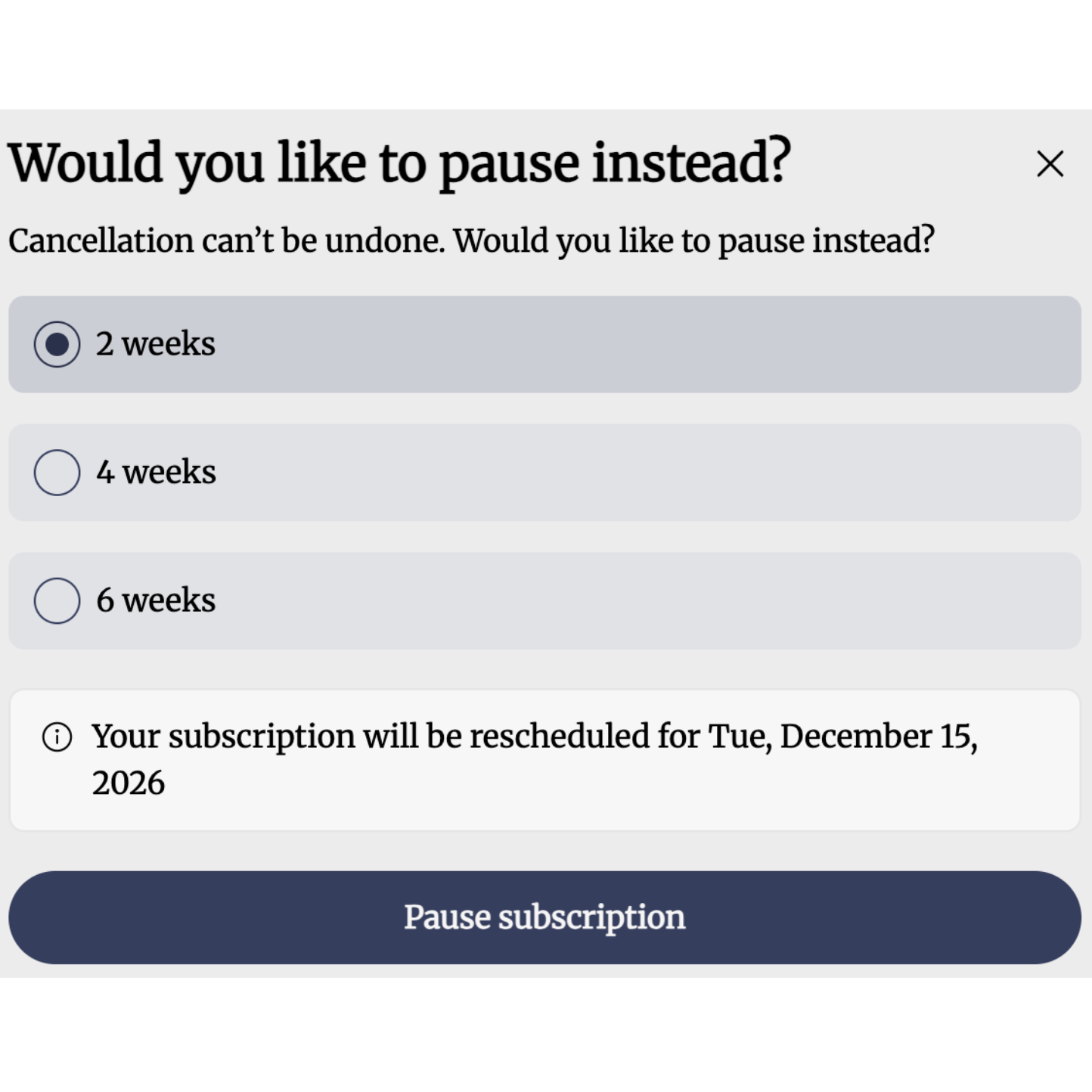
Example shown. Your new scheduled charge date will depend on your current subscription schedule and the pause duration you select.
Step 8: Click Pause subscription to confirm your selection.
What Happens After My Pause Ends?
Your subscription will automatically resume according to the adjusted schedule.
This means your subscription is not paused indefinitely. Your next charge will occur on the new scheduled date unless you make additional changes to your subscription.
If you need more time, you can log into your account to review your subscription and available management options.
Still Need Help?
If you're unsure about your next charge date or need assistance managing your subscription, our Customer Support Team is happy to help!
Email: [email protected]
Phone: 1-800-479-1596